.png?width=200&height=98&name=Horizontal%20PVFARM%20Logo%20(Small).png)
-
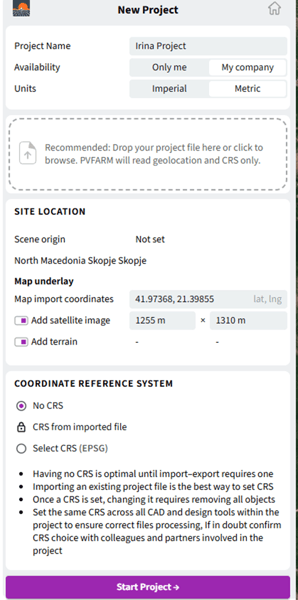
Select the Units you will use
-
Enter your project coordinates (Latitude, Longitude)
-
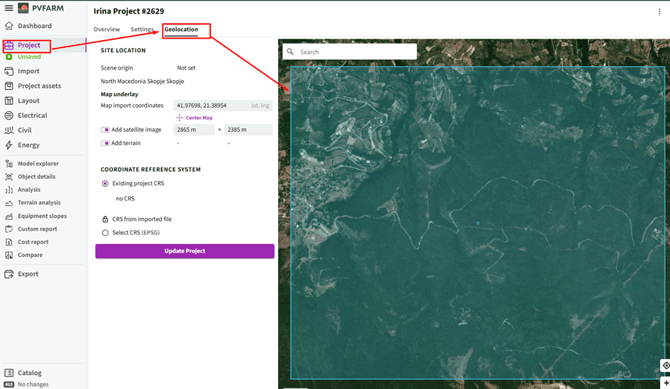
To visualize the selected location using a Google Maps image, enable “Add satellite image” and scale the image to match the required project area
-
To add terrain for the selected location, enable “Add terrain”
-
Select “No CRS”
-
After completing all required fields, click “Start Project”
-
Check if the settings are right or align with you project in "Project" field
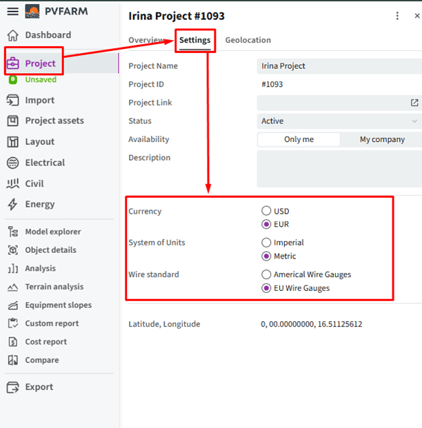
-Result in PVFARM