
The Dashboard lets you create and organize your projects

- Search: Search for project name or ID
- + New Project: Here you can add new project to PVFARM
- All Projects: Overview of all projects assigned to your company
- Project stage management: Active, Sandbox, Completed and Archived
- My projects toggle: Switch between company projects or personal projects
Working across companies
-
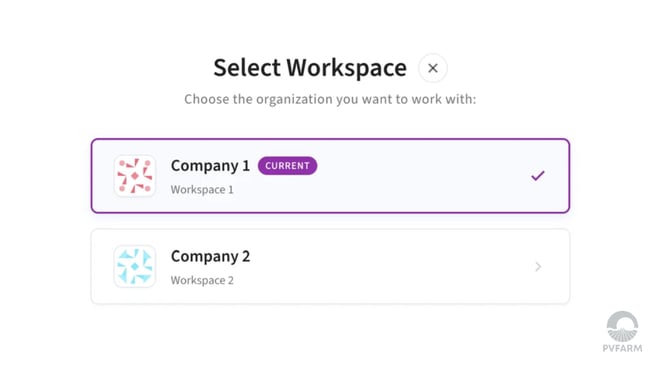
PVFARM makes it simple for developers, EPCs, engineering consultancies, and manufacturers to work across the companies they have access to — using one login.
-
If your company or you collaborate with multiple companies between each other, use the company selector in the top bar to switch context instantly. There is no need to log out or reload the page. You can also keep separate companies open in different browser tabs without them affecting each other.
-
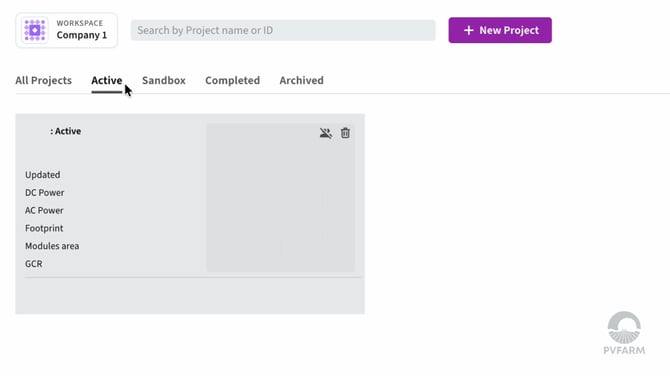
Your active company determines which projects you see. Each project belongs to one company only, so switching companies displays only that company’s projects. This keeps project data and workspaces clearly separated at all times.
-
You will only see companies that your PVFARM administrator has given you access to. Companies you have not been added to will not appear or be available. Administrators manage this access, including adding or removing users from a company.
Note: If you work with only one company, you will not see a company selector.