
More control over your layout
From aligning trackers to shaping roads, the latest improvements give you more control over the details of your layout.
- Focus on what matters - see only the relevant snapping guidelines for the object you are placing, including tracker motors
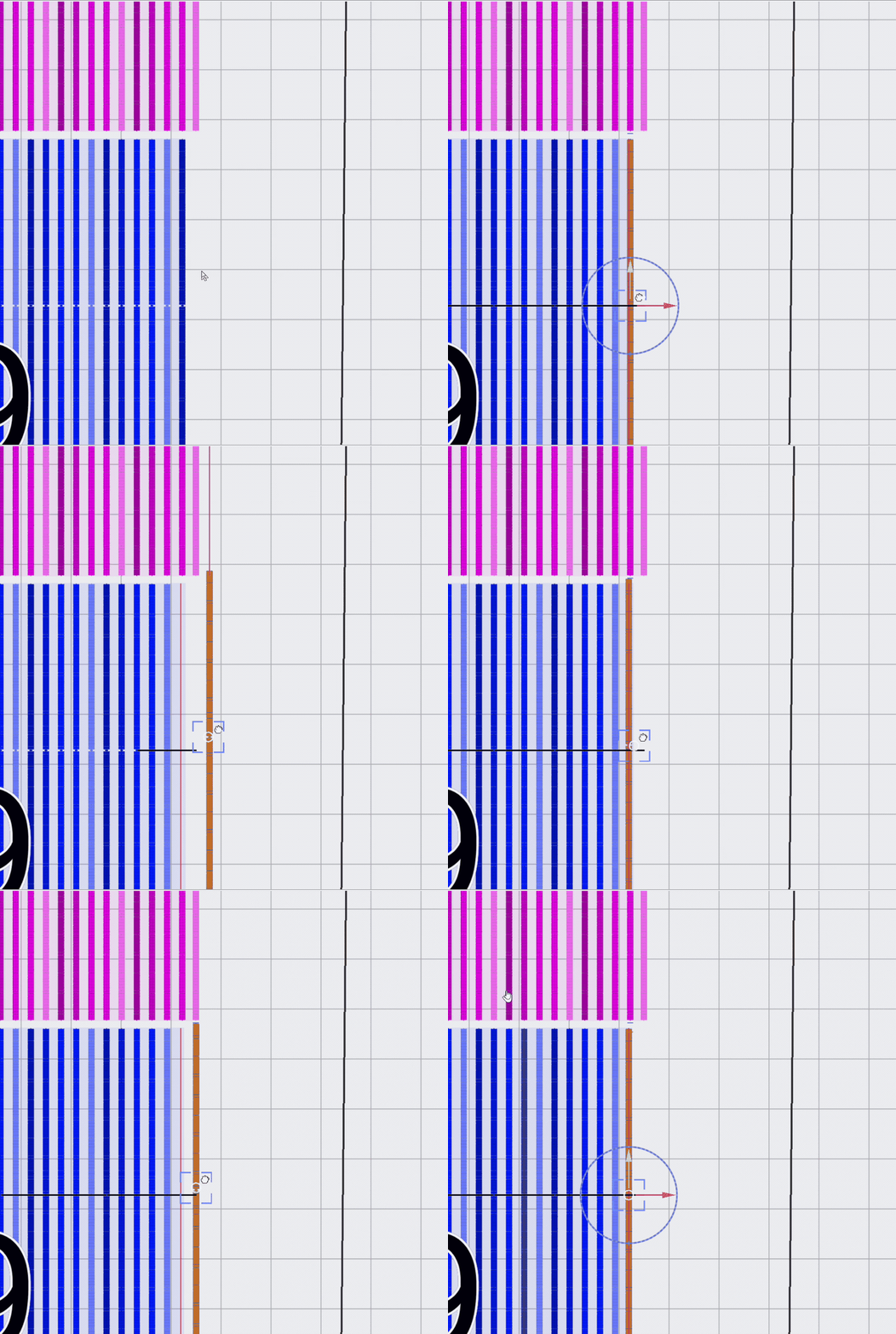
- Position a group with one anchor object that you choose situationally
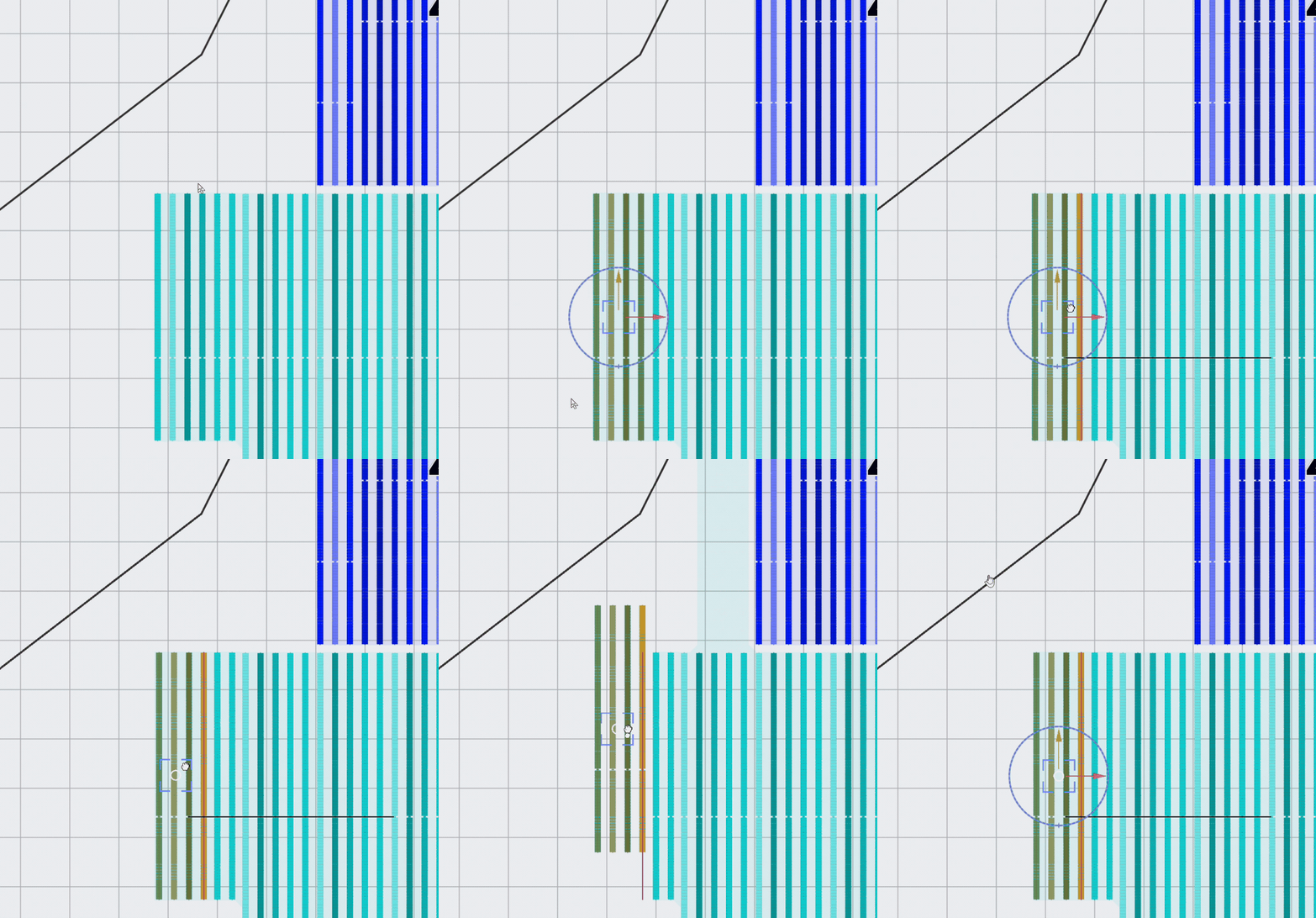
- Give roads and trackers the space they need. Spot clearance conflicts as you draw.
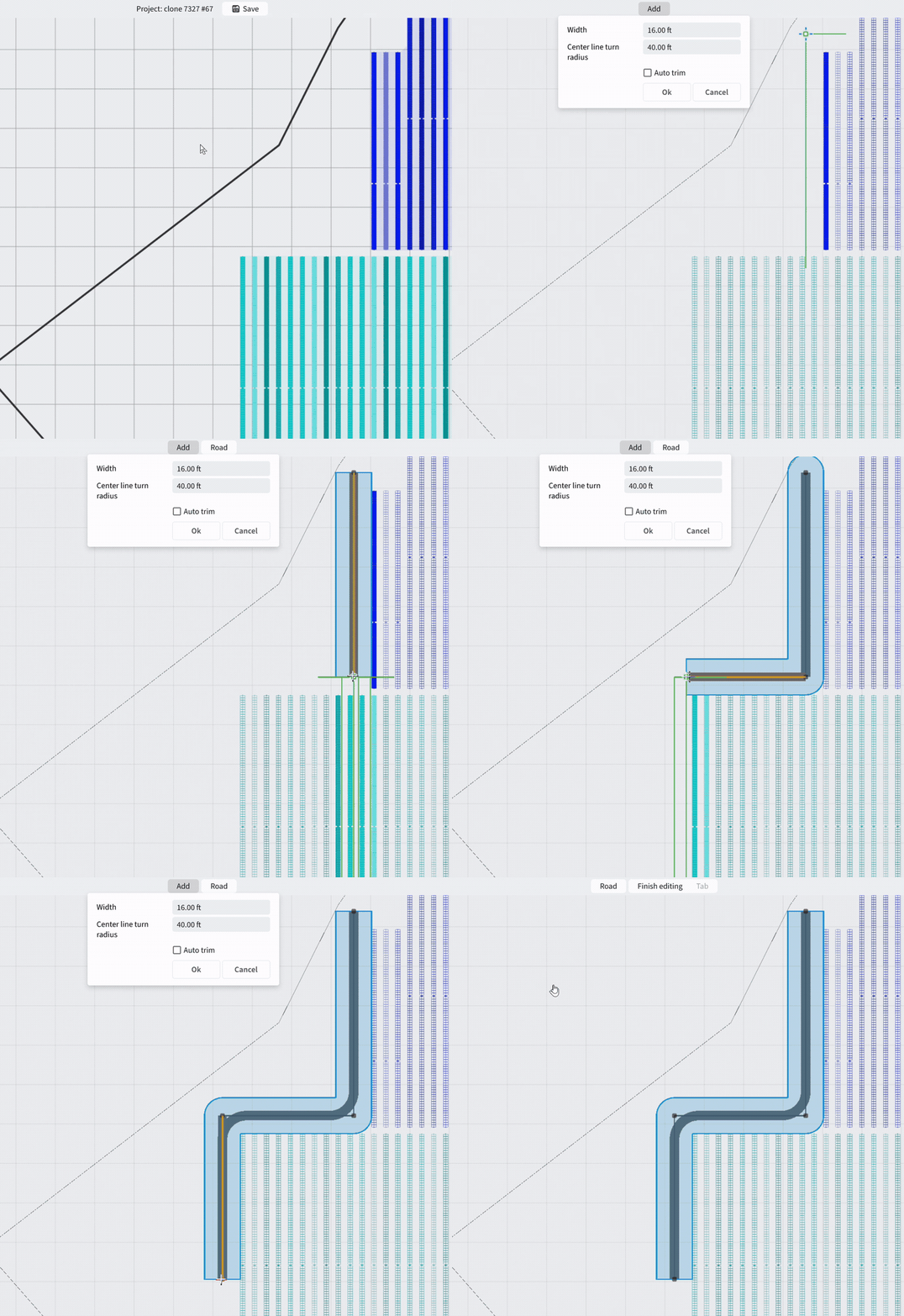
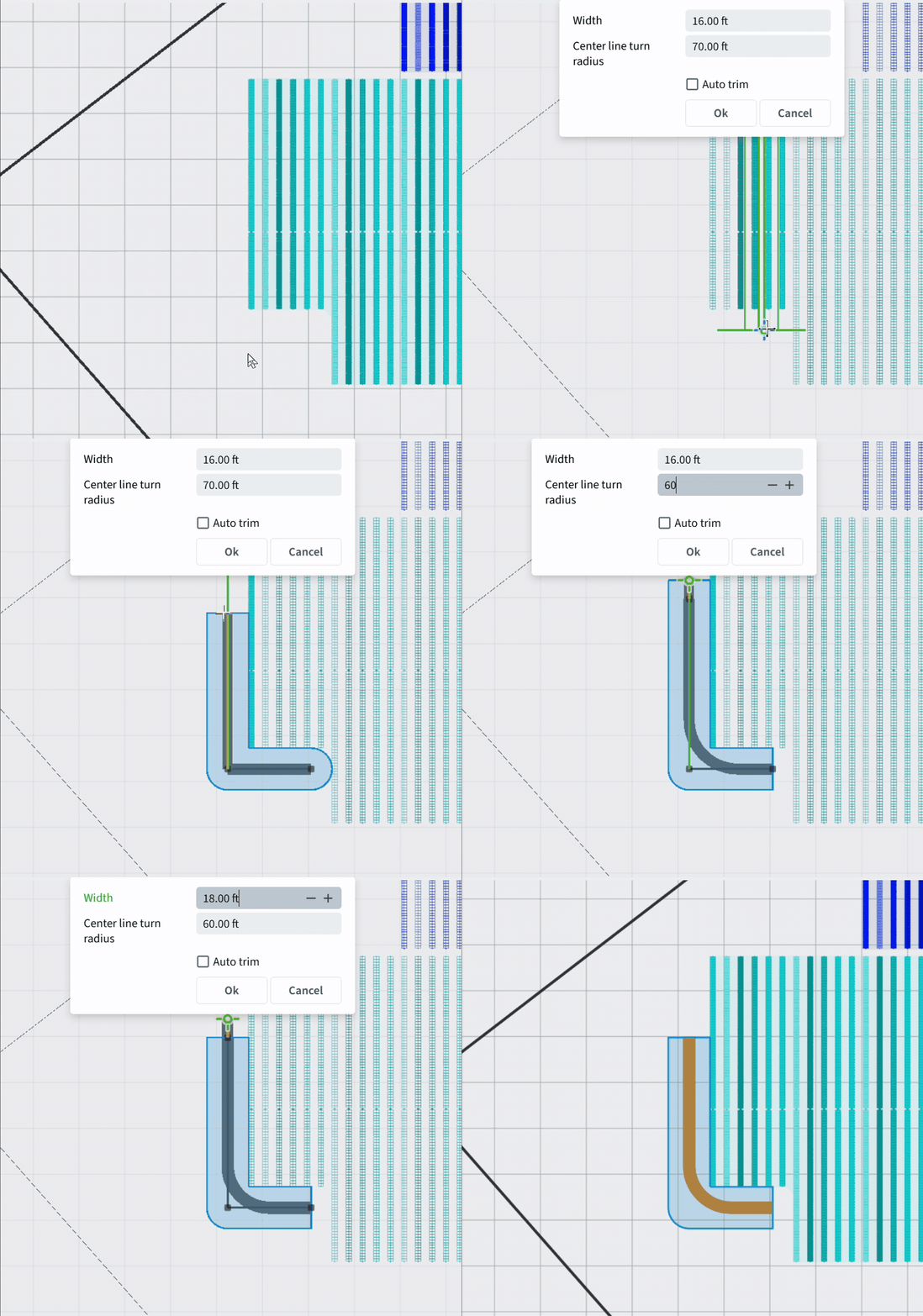
- Reshape the road as you go
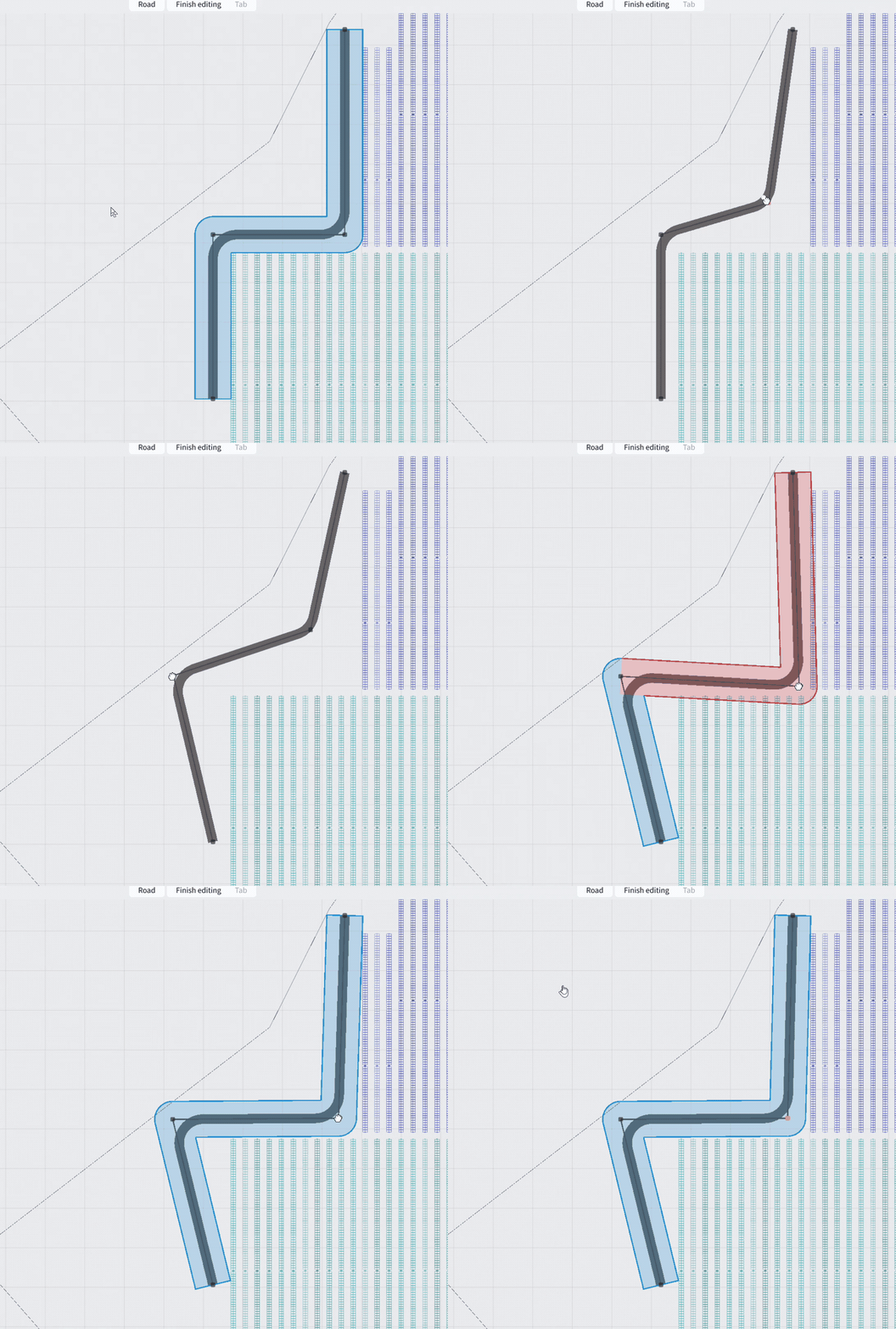
- Adjust road width and radius
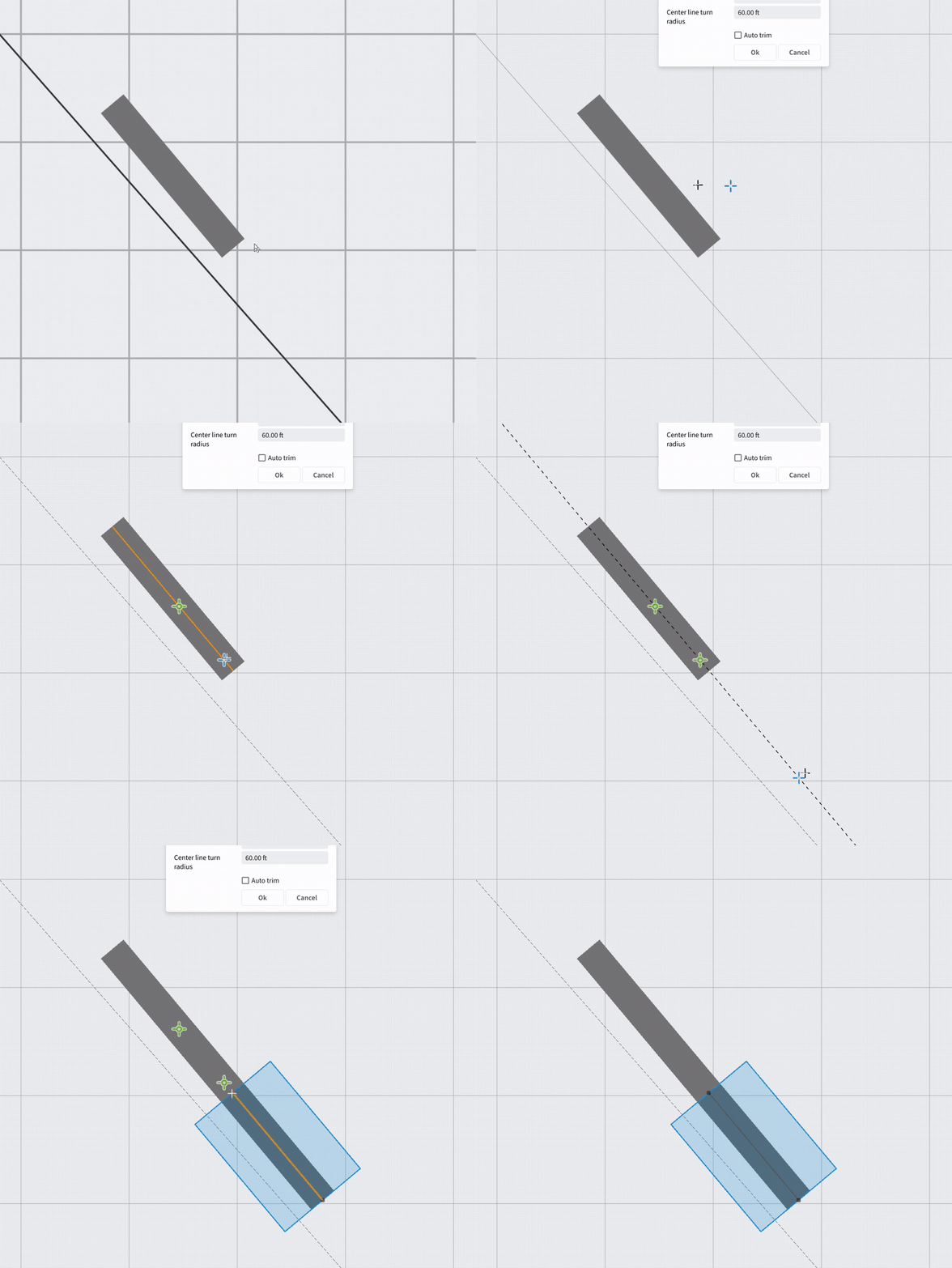
- Use extension points to be sure the axis stays aligned
Working across companies
Who this is for
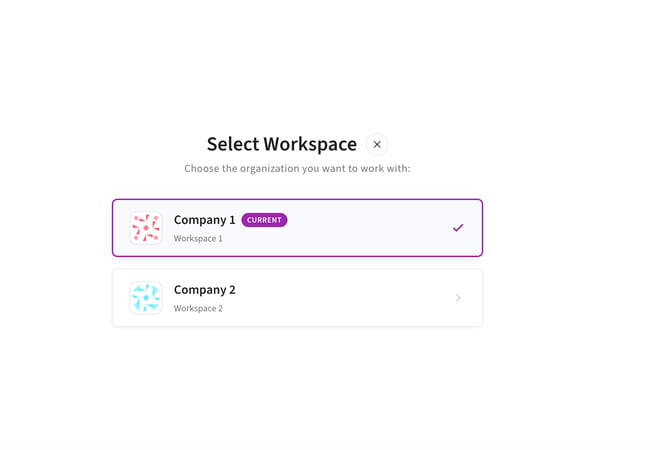
Developers, EPCs, engineering consultancies and manufacturers often work across multiple organizations. PVFARM now makes it easier to move between the companies you have access to and work in the right context.
What gets easier
- One login, and every company you work with is a click away in the top bar — no reload, no logout.
- Two browser tabs can hold two different companies at once without interfering.
- Your projects follow the active company, so you are never looking at a project in the wrong context.
- People who work for a single company never see the selector at all.
How your projects stay separate
Access is per company. Here is what that means in practice:
- A project belongs to exactly one company. Switching to another company shows that company's projects only.
- You see only the companies you have been given access to. A company you have not been added to does not appear in the list, and its projects are not reachable.
- Two companies never share a project list, even in the same browser at the same time.
- Access is granted and revoked by your PVFARM administrator. Adding you to or removing you from a company is an administrative action, not something you do for yourself in the app.
Other fixes and improvements
📌AutoCAD plugin 7.6.0 — update before your next import.
- Civil Grading terrain section can be collapsed.
- Copy link added to the version list options.
- Terrain import now can be done with a single ZIP containing several LandXML/XML files.
- Import equipment list elements are aligned; tracker model block dividers removed.
- Ruler measurements appear again after measuring.
- LV generation notifications now report what happened instead of staying silent.
- Block names show in full in the import list, without truncation.
- Motors are aligned correctly across the new thin-film tracker series.
- Property analysis shows the Reveal and Embedment charts again.
By the numbers
- ~230 fixes since the September release, ~120 of them against tickets you filed. Counted as ticketed fixes only; the full release also carries hundreds of internal changes and test and infrastructure work we do not list here.
We ship this because you keep telling us where it hurts. If something here solves a problem we did not know we were solving, or misses the one you actually have, reply and tell us. The next release starts from that conversation.