.png?width=200&height=98&name=Horizontal%20PVFARM%20Logo%20(Small).png)
-this article explains how to import files into PVFARM. It covers several common use cases, which are listed below, so you can quickly follow the right import path for your specific file type.
Basic Concept You Need to Understand
- before importing files into PVFARM, this helps to understand a few basic terms
CRS (Coordinate Reference System)
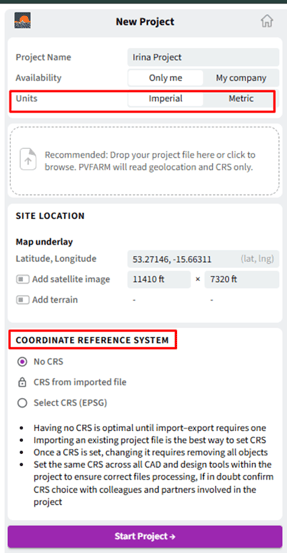
What it is:
-CRS tells the software where your project is on the Earth. It defines how coordinates match a real-world location.
Why it matters:
-if the CRS is wrong, your boundaries, terrain and layout may appear in the wrong place, wrong size or wrong orientation.
Table 1: Typical CRS
|
Datum |
Used Where |
|
Google Earth / KML Import |
WGS84 (EPSG:4326) |
|
QGIS (Reproject to UTM) |
UTM (Northen Hemisphere -EPSG:326XX or South Hemisphere - EPSG:327XX) |
|
SHP / PVFARM Import |
UTM (Northen Hemisphere -EPSG:326XX or South Hemisphere - EPSG:327XX) |
|
XML Export |
Must use the same EPSG as SHP |
Verify rules:
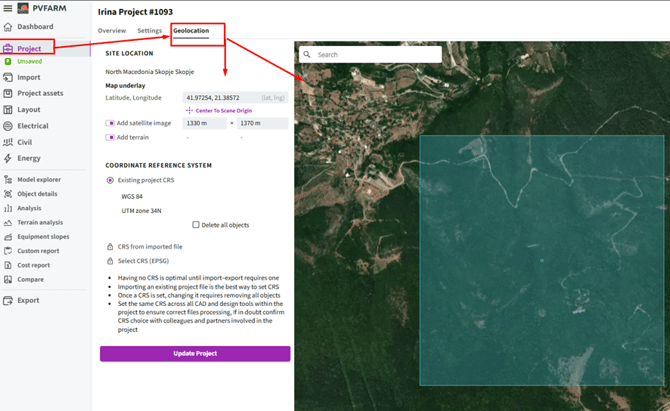
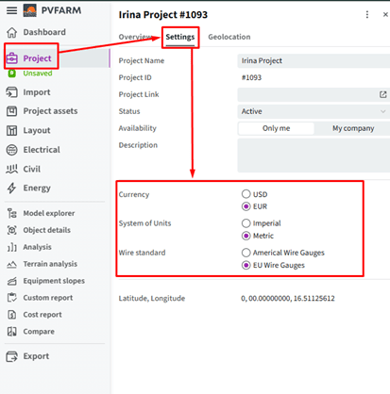
-always check that your file and your PVFARM project use the same CRS and units (meters or feet).
Choose your starting point
-Are you starting a new PVFARM project or importing an existing project in PVFARM?