.png?width=200&height=98&name=Horizontal%20PVFARM%20Logo%20(Small).png)
Two Recent Webinars You Shouldn’t Miss
We hosted two webinars recently — both focused on the early decisions that shape cost and buildability. Watch them here:
-
Needle Movers First: Strategic Early Decisions That Define Solar Project Success — US version link · EU version link
The “do these first” decisions: what to prioritize early, what to ignore, and how to avoid expensive rework later.
-
The Cost Map: Visualizing Where Money Goes in Solar Layouts — US version link · EU version link
A practical breakdown of where costs concentrate in a PV layout and which design choices quietly drive big CAPEX.
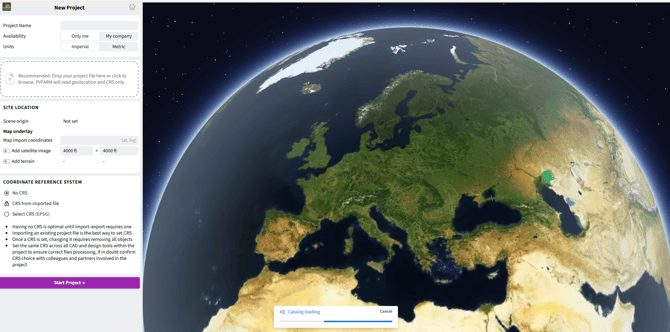
Improved import detalization
- Global map preview to confirm project location.
- Coordinate Reference Systems (CRS) alignment for the PVFARM scene and Imported file.
- Over 20 new warnings to identify issues and required corrections.
- The knowledge base on import/export redesigned to guide through complete end-to-end workflows.
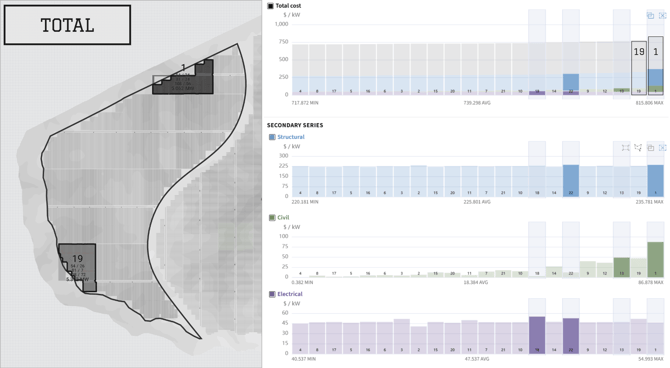
Cost Map
Analyze cost distribution across different spatial levels (Block, Racking). Understand how civil, structural, and electrical components contribute to the total cost:
- LCOE, $/W, and Total cost for each spatial level
- Grading cost distribution across Blocks
- Configurable outliers highlight
- Conditional colorization for the charts and 3D scene
- Additional block-level boundary visualization with property-based coloring
Identify high-cost areas, compare objects within the layout, and visually correlate cost metrics with spatial context in the 3D scene.
-1.png?width=670&height=942&name=image%20(1)-1.png)
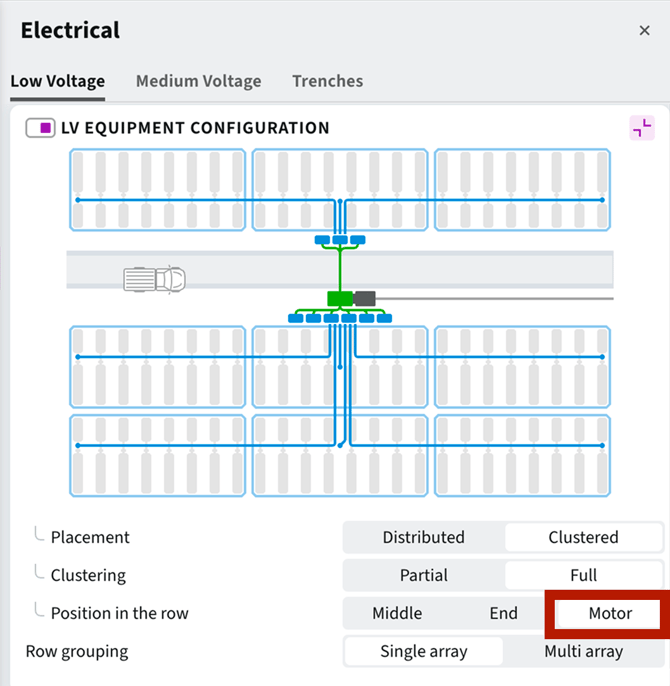
Low Voltage Wiring
- Added an option to route LV cables through the motor gap, assuming trackers are already aligned by motor gaps. On the Electrical → Low Voltage window set the “Combiner Box position in the row” to the “Motor”.
-
Simplified electrical pattern. A single cable (String Cable) connects each string to the combiner box / string inverter. Feeder cable then connects the combiner box / string inverter to the SKID.
.png?width=670&height=323&name=image%20(2).png)
-
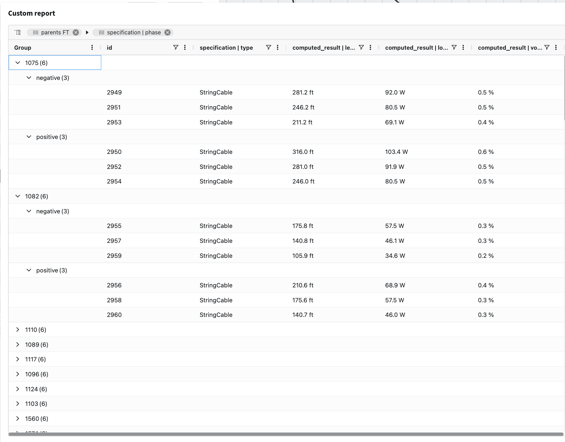
Reports now show individual positive and negative String Cables for each SAT/FT string.
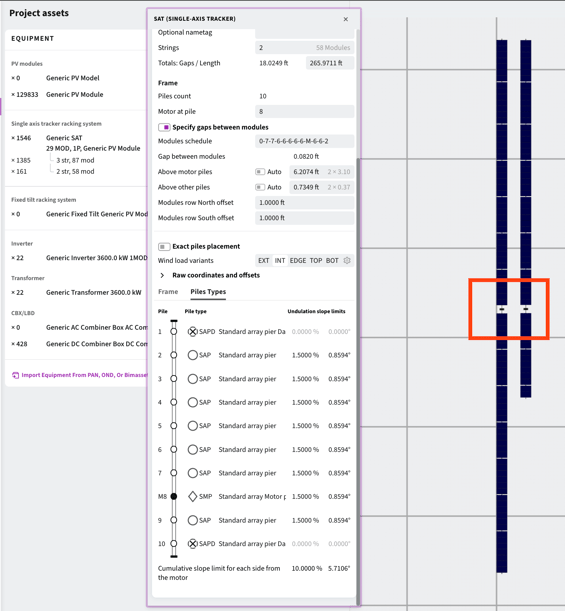
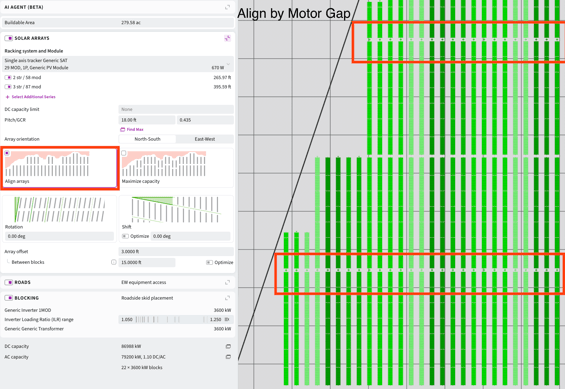
Tracker alignment by motor gap
- When creating trackers PVFARM generates motor-collinear trackers.
- With Align Array enabled during layout generation, PVFARM guarantees motors collinearity for motor-collinear trackers.
API
PVFARM now provides an API for programmatic access to project and solver workflows.
- The API unlocks full PVFARM automation and AI engine for your own systems.
- Whether you’re accelerating RFP responses, running large-scale layout analysis, or connecting your AI models, PVFARM gives you a programmable way to design smarter, faster, and at scale.
Use cases: https://www.notion.so/pvfarm/PVFARM-API-2812efac8dbc8040aa2fd99425558e6d
API documentation: https://app.pvfarm.io/api/docs/#tag/apiv1
Interoperability Improvements
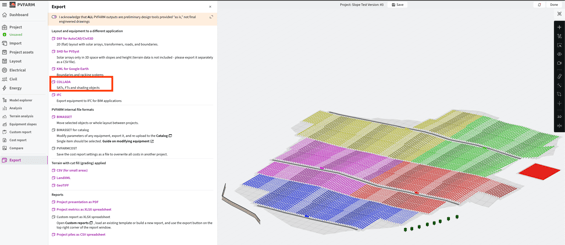
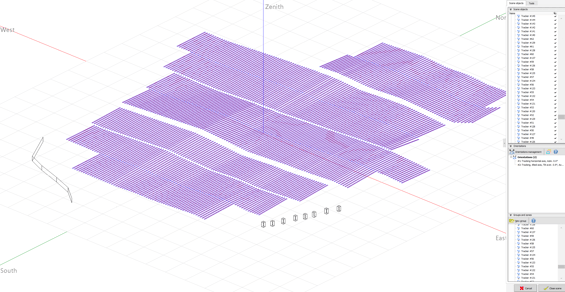
PVC export to PlantPredict and PVsyst
- 3D scene export via PVC and DAE files is now supported.
- The export includes the solar array and shading objects for use in PVsyst and PlantPredict.
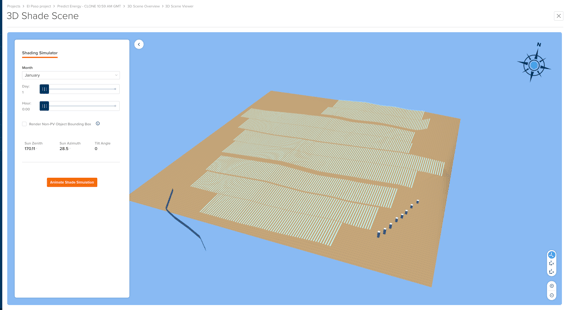
Meteo data import
- TMY weather import now supports a wider range of CSV structures, including PVGIS-style TMY CSV files.
- PVFARM can detect date/time columns more flexibly.
- It recognizes more weather header variants (for example GHI/DNI/DHI and temperature naming variations).
Grading improvements
Terrain Visualization
- Terrain slope visualization supports grading and layout evaluation. It is particularly useful for validating Tie Slope after Cut & Fill.
.png?width=565&height=318&name=image%20(3).png)
-
A terrain color map (green-to-brown gradient) is now available for improved Slope readability.
.png?width=565&height=318&name=image%20(4).png)
Tie-slope
- Small areas (shown as dark brown in the example below) could previously exceed the specified Tie Slope limit. The updated tie slope algorithm now strictly enforces the defined Tie Slope constraints across the entire site.
.png?width=670&height=453&name=image%20(5).png)
Bay changes per pile type
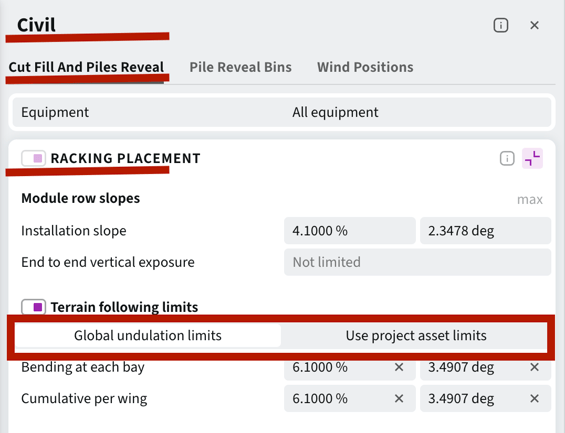
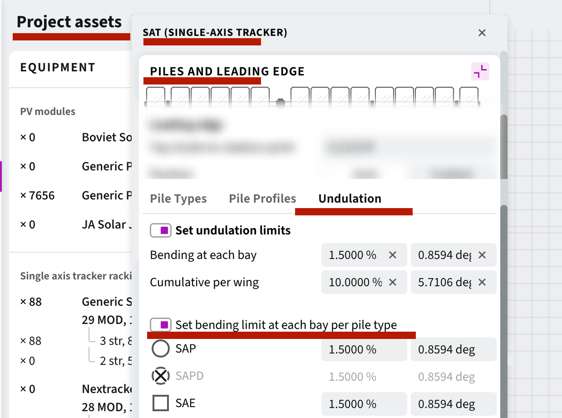
- Terrain-following trackers now support bay-to-bay undulation limits defined per pile type.
- Set global undulation limits or use per-tracker limits defined in Project Assets.
Security & Compliance Improvements
- We continue strengthening PVFARM’s security and enterprise readiness.
SOC 2 Type 1 Compliance
- SOC 2 (Service Organization Control 2) is an independent auditing standard that evaluates how companies protect customer data across security, availability, processing integrity, confidentiality, and privacy criteria.
- PVFARM is now SOC 2 Type 1 compliant. Our security controls and data protection processes have been independently audited and verified, ensuring a high standard of protection for all projects.
- Trust Portal: https://trust.pvfarm.io/.
Single Sign-On (SSO)
- Customers can now configure user authentication in PVFARM using their own SSO provider. This enables centralized access management, stronger identity controls, and alignment with internal IT policies.
- See the integration guide for setup details.