.png?width=200&height=98&name=Horizontal%20PVFARM%20Logo%20(Small).png)
The Cost Report provides a summary of all costs related to a power plant, along with its overall economic performance over the project lifetime.
It is used for:
- investment analysis
- scenario comparison
- financial decision-making
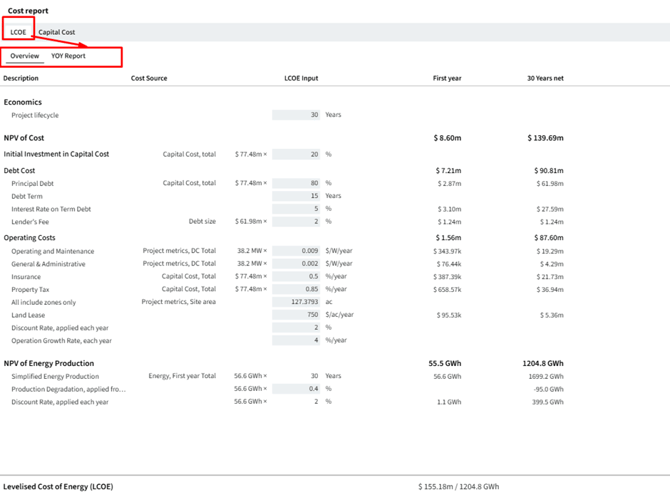
LCOE (Levelized Cost of Energy)
-represents the average cost of electricity generation over the entire lifetime of the plant
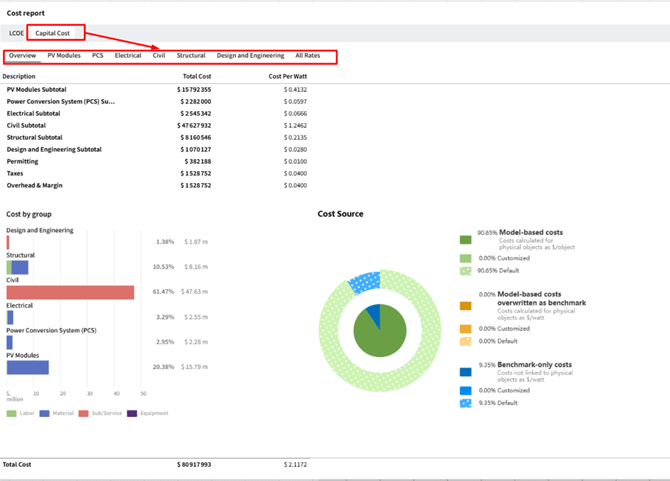
Capital Cost
-represents the initial investment required to build the power plant
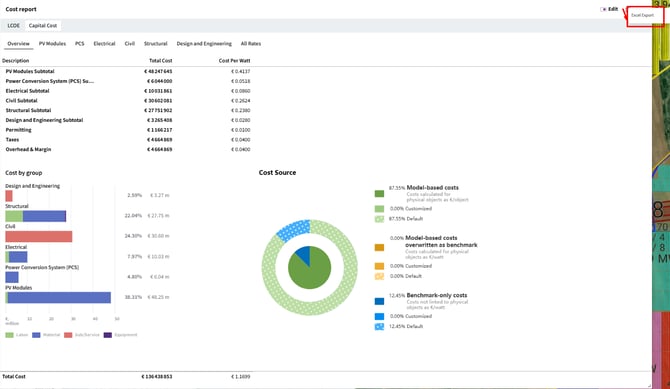
Export cost report
-export your cost report in Excel file
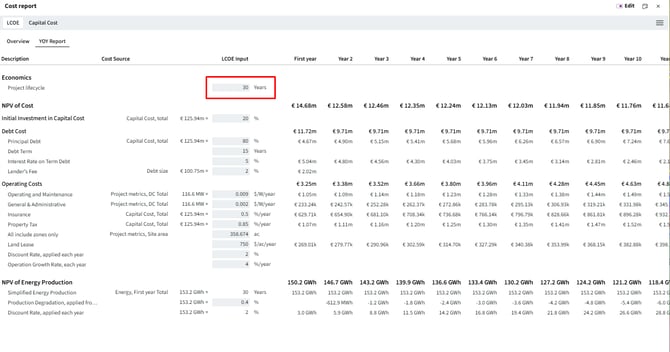
Note: in the open fields you can put your own values
Import customized cost values
You can import your own cost values into PVFARM using a PVFARMCOST file.
This is useful when you want to use your own internal cost table for the cost analysis.
1. Get the PVFARMCOST template
To create a cost file template, first export a PVFARMCOST file from PVFARM.
If you want to create a cost file with all equipment from your catalog, hit Enter on the current project and search for the Scene / Switch to catalog option.
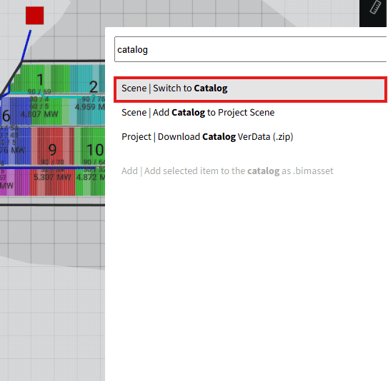
Click on it.
You will see all your catalog items on the screen. Then, go to the Export panel and download the PVFARMCOST file.
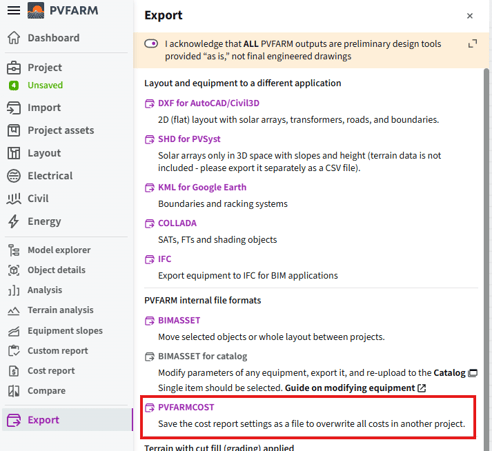
Your cost report will include the equipment available in your catalog, so you can use it as a template.
If you select only one equipment item, the exported cost file will include the cost structure related to that selected item only.
2. Edit the PVFARMCOST file
To edit the file, open the PVFARM cost editor: https://wbs-mapper.app.pvfarm.io/
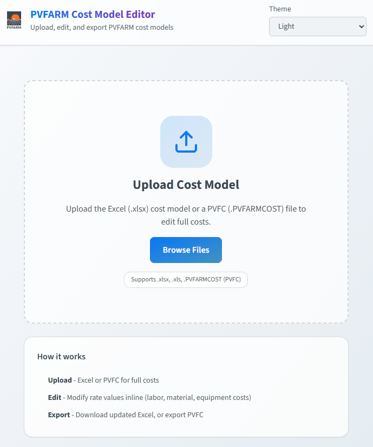
Drag and drop the PVFARMCOST file you have just downloaded.
Then, update the cost values as needed.
3. Import the updated file
After editing the file, return to PVFARM.
Go to the Import panel and upload the updated PVFARMCOST file.
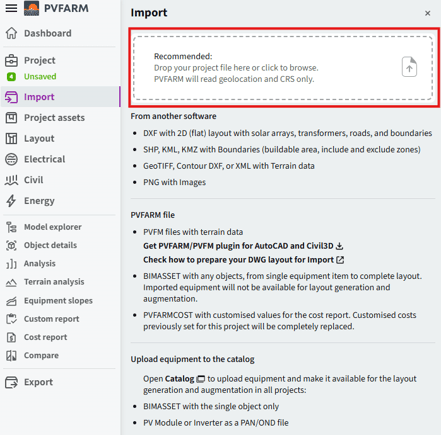
The customized cost values will be imported into the project.
Note: importing a PVFARMCOST file will replace the customized costs previously set for the current project.